
Discrete Tags configured as an Alarm will show in the platform and generate email/SMS notifications for users that have opted in. Alarms can be setup in the Site and Equipment Configuration.
Viewing Equipment Alarm Status
-
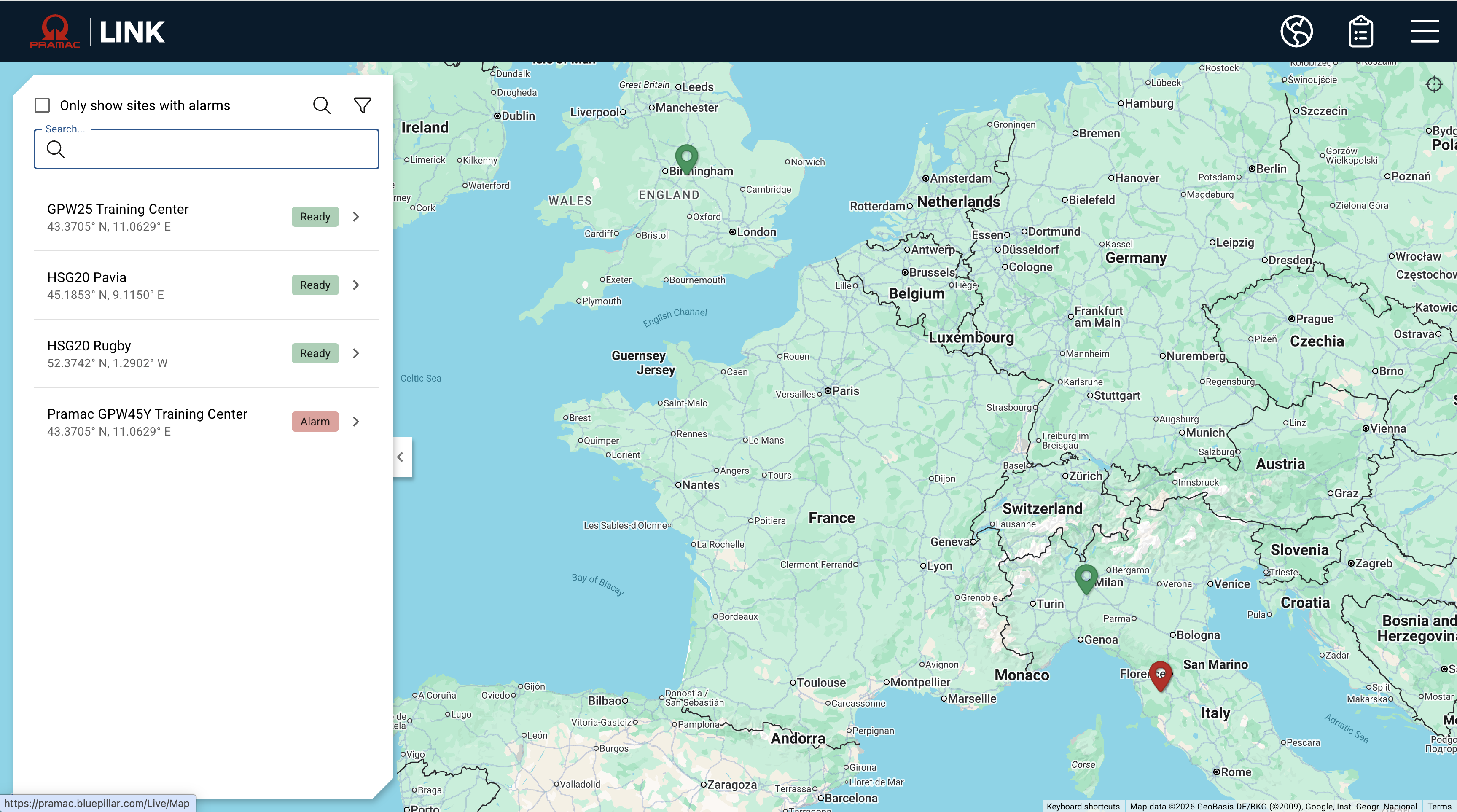
When alarms are active the site pin will be red and the status will show as ‘Alarm’
-
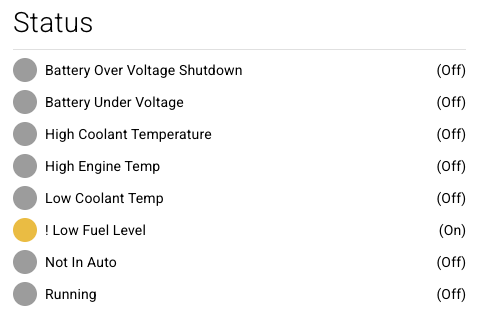
Discrete tags in Alarm will be flagged with an exclamation point
-
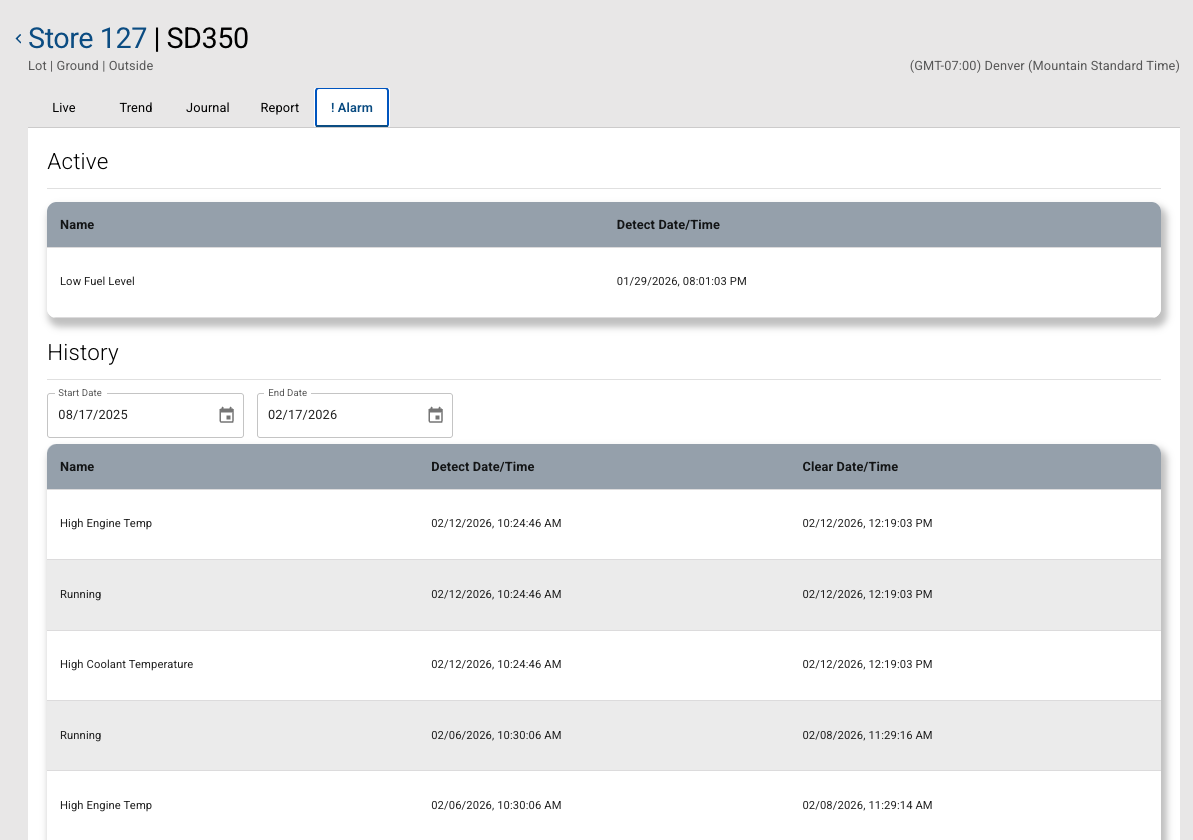
Further detail on the active and historic alarms can be found on the alarm tab.
-
The alarm history will show the alarms for the selected period, the last 6 months are shown by default.
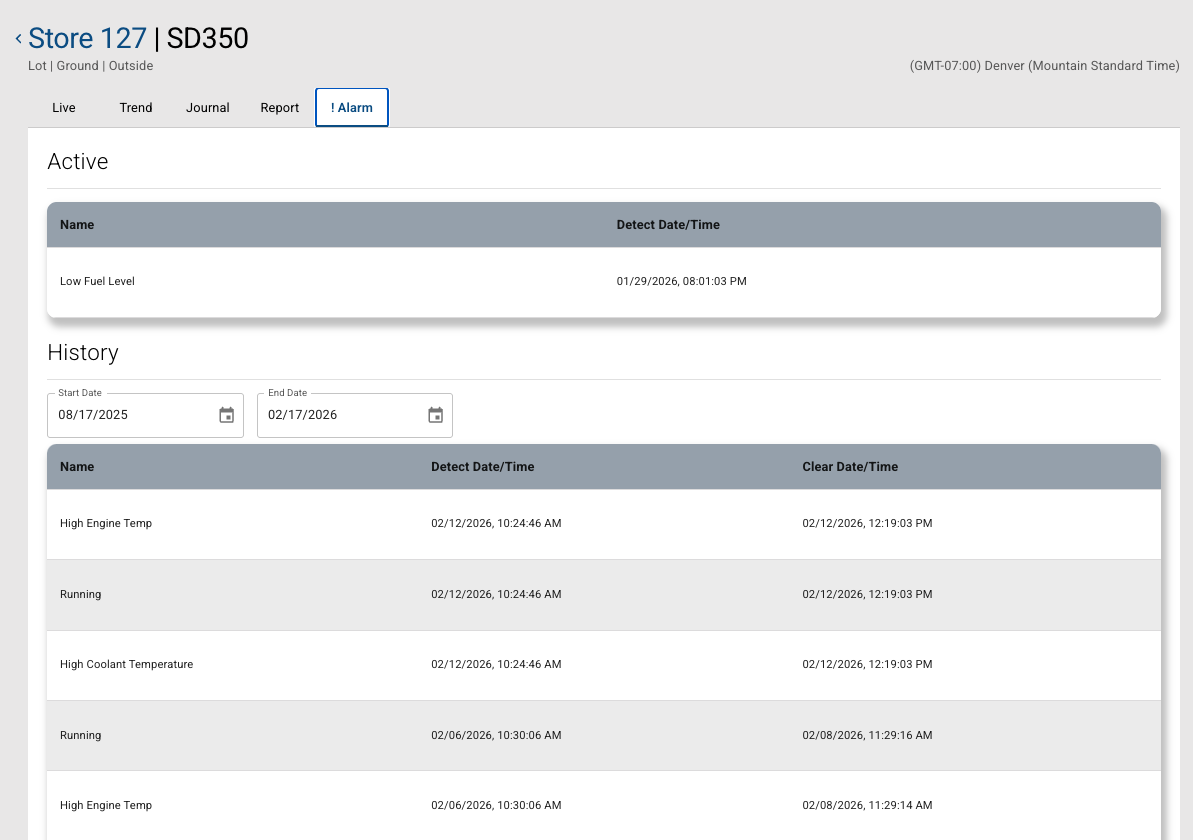
Once an alarm is no longer in an alarm condition then it will appear in the Alarm History with a cleared alarm date/time.
Alarm Disablement
A noisy alarm may be disabled if it trips repeatedly within a short period to prevent spamming notifications.
-
When an alarm is disabled a Support ticket is automatically generated.
-
Our platform support agent will verify whether a data thresholds are resulting in a toggling alarm scenario and/or if concerns persist with notifications or equipment alarm triggers.
-
The platform support agent will determine if the incident can be resolved with remote diagnostics.
-
The platform support agent may escalate the case to the IDC or site contact in order to have a technician check on the equipment.
-
Once resolved, Support will provide instructions to the site contact to re-enable the alarm notification in the site and equipment configuration.
-
Once these steps are complete, the ticket will be closed.